What is Lambda
AWS Lambda is an Amazon serverless computing service meaning we don’t have to manage any ec2 instances. We can just deploy a piece of code that runs automatically based on certain triggers or events and so it is also known as an event-driven computing service.
Lambda supports various programming/scripting languages like NodeJS, Python, Java and etc.
You can use lambda for various purposes such as monitoring, notifying or removal of stale resources and avoid a lot of unnecessary charges.
In this article, we’ll create functions to have our EC2 instances auto shutdown and start at a particular time. Say we have few instances only for development and testing, since these are not going to be used outside of office working hours, we can turn them off during that period and bring them back during working hours.
Architecture
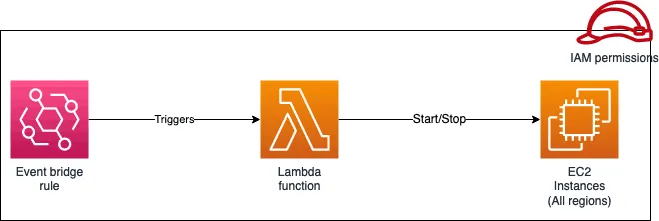
This has various components such as below:
- Two lambda functions. one for starting the machine and another and another to stop it.
- IAM roles with policy related EC2, Cloud Watch logs and Event Bridge.
- One or more EC2 instances.
- Event Bridge schedule or rule.
Getting Started
Create an IAM policy with the following content.
{
 "Version": "2012-10-17",
 "Statement": [  {
   "Effect": "Allow",
   "Action": [    "logs:CreateLogGroup",
    "logs:CreateLogStream",
    "logs:PutLogEvents"
   ],
   "Resource": "arn:aws:logs:*:*:*"
  },
  {
   "Effect": "Allow",
   "Action": [    "ec2:Start*",
    "ec2:Stop*"
   ],
   "Resource": "*"
  }
 ]
}
Assign a name, add the above json and save. Or use the visual editor. This actions for EC2 are “startInstnace” and “stopInstance”. The Actions for CloudWatch are CreateLogGroup, CreateLogStream and PutLogEvents.

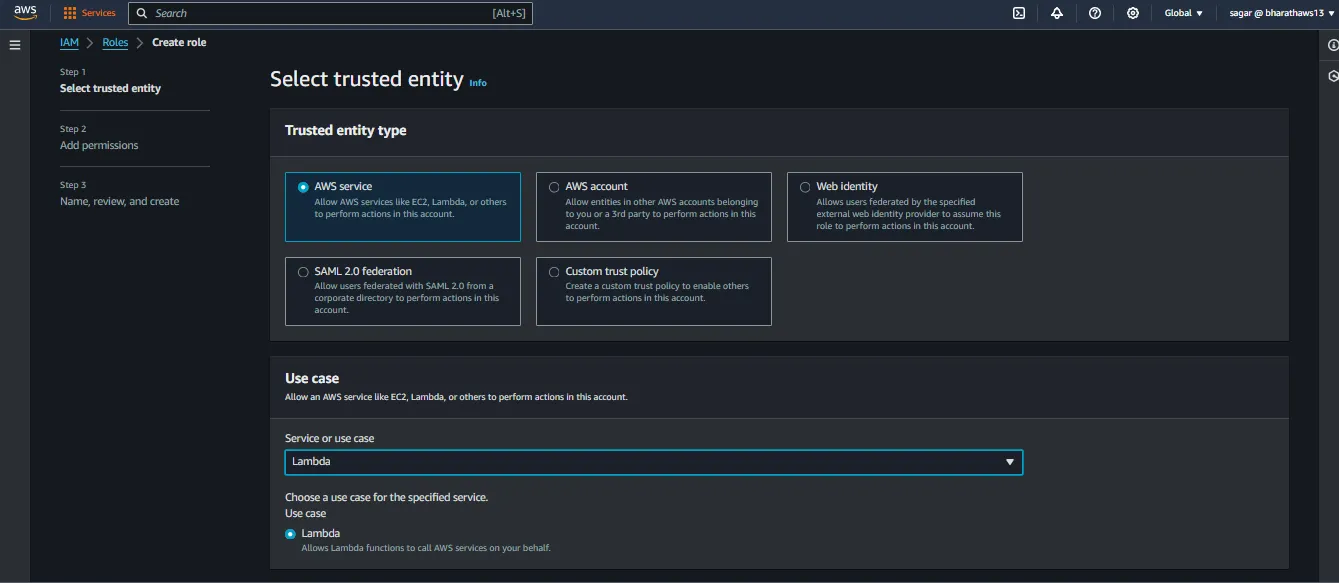
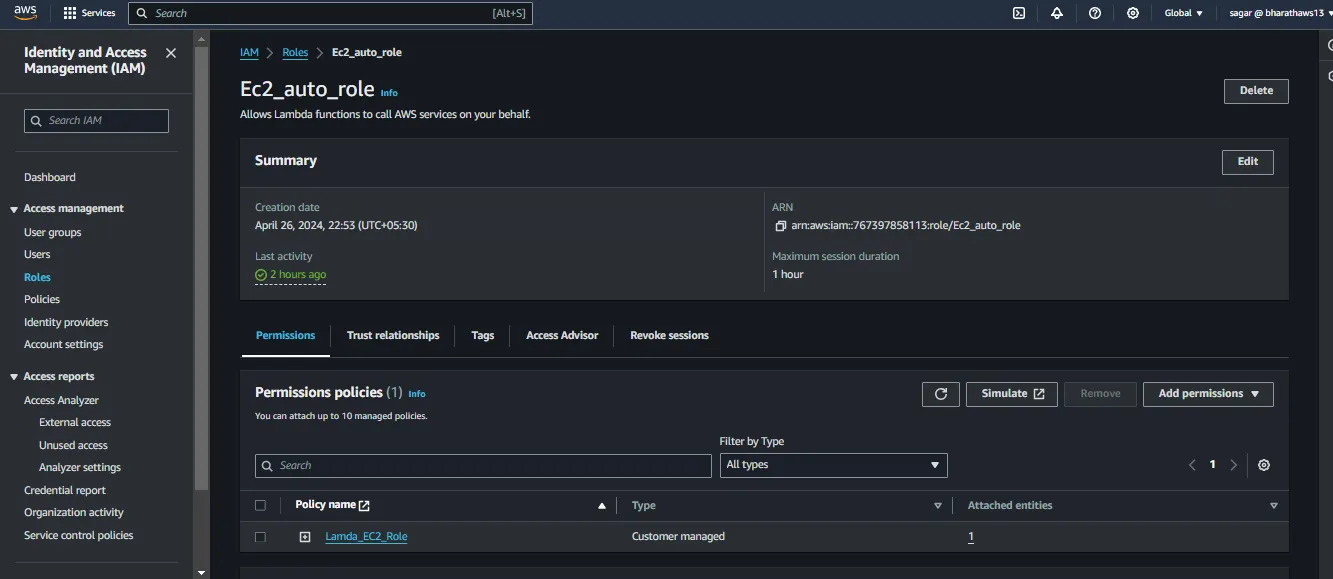
Create a role and assign the above created policy.
From the role creation page, Select AWS, select lambda from from the services list.
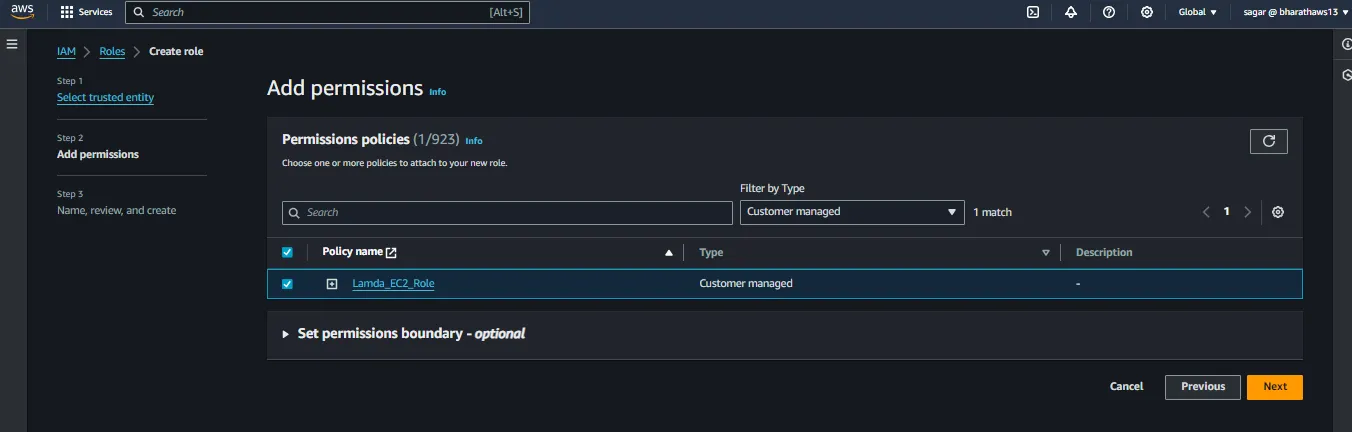
Choose “customer managed” from the filter and select the role created earlier. Assign a name in the next step and save.
Verify the policies attached to the Role
Create EC2 Instances
Creates one or more instances and copy their ids.
Create Lambda Functions
From the Lambda console, select create function. Choose author from scratch. Provide a name for the function (StopEC2). Select Python 3.x from the runtime and save.

Add the following code snippet the code section and click on deploy.
Remember to change the instance id and location accordingly. In case of multiple instances separate them with commas.
#StopEC2
import boto3
region = 'ap-south-1'
instances = ['i-0841b5e5fc3d1789a']
ec2 = boto3.client('ec2', region_name=region)
def lambda_handler(event, context):
    ec2.stop_instances(InstanceIds=instances)
    print('stopped your instances: ' + str(instances))
Expand the permission section, choose existing role and select the role created earlier.
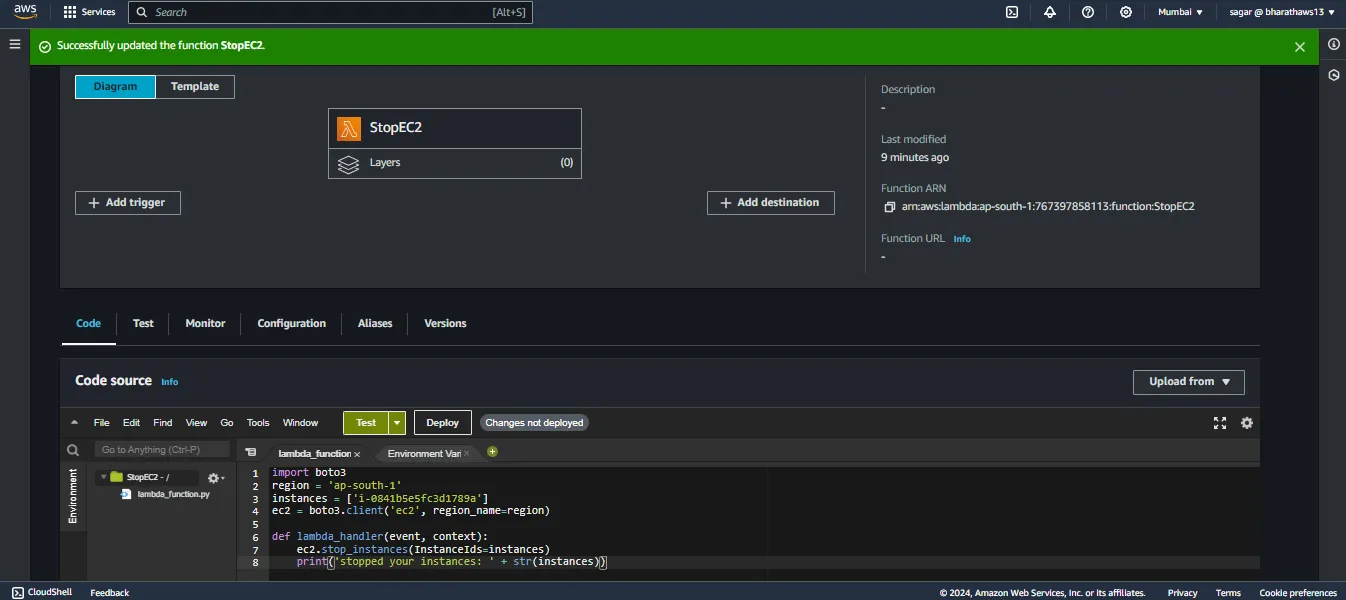
Note: Click on deploy, every time you change the code.
Test is the function works fine. To do so click on the Test tab, and click on the test button again. No need to do any modifications. Either save the event or just run the test, no worries there.

To verify if the function worked, check your instance status.
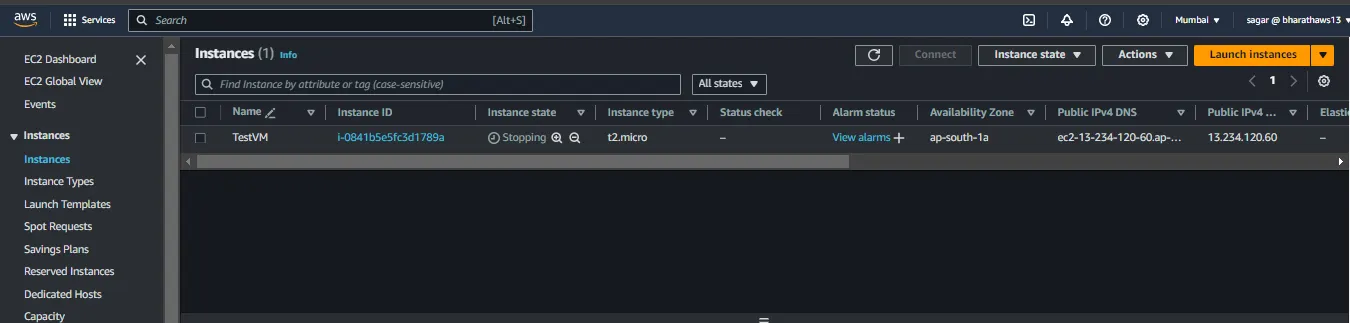
Nice, so the function works. Repeat this whole function process for creating another lambda function for starting the instances.
However the method changes for this function. ec2.start_instance().
#StartEC2
import boto3
region = 'ap-south-1'
instances = ['i-0841b5e5fc3d1789a']
ec2 = boto3.client('ec2', region_name=region)
def lambda_handler(event, context):
    ec2.start_instances(InstanceIds=instances)
    print('started your instances: ' + str(instances))
Now you should have 2 functions.
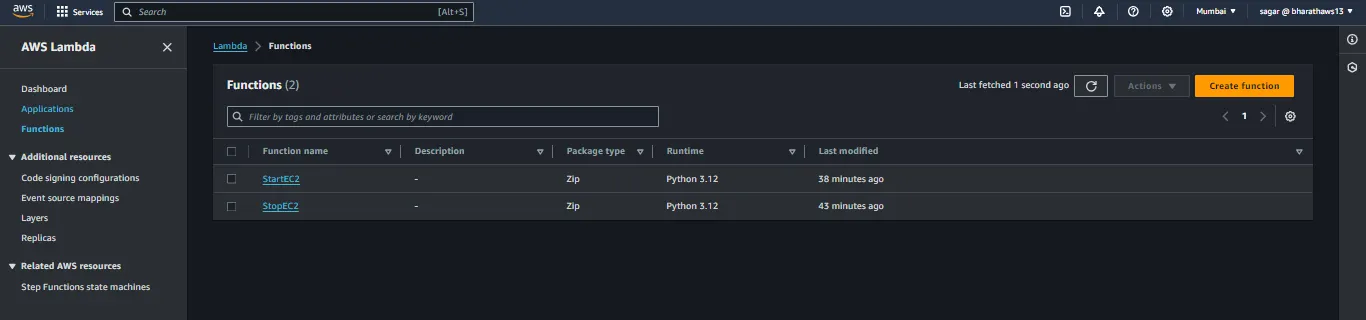
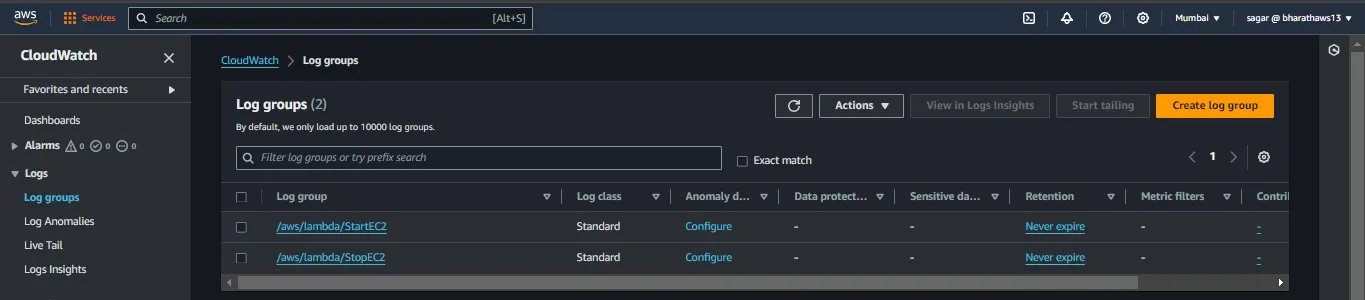
You can verify that 2 log groups would have been created in cloud watch. You can see the “started/stopped” your instance logs in these.
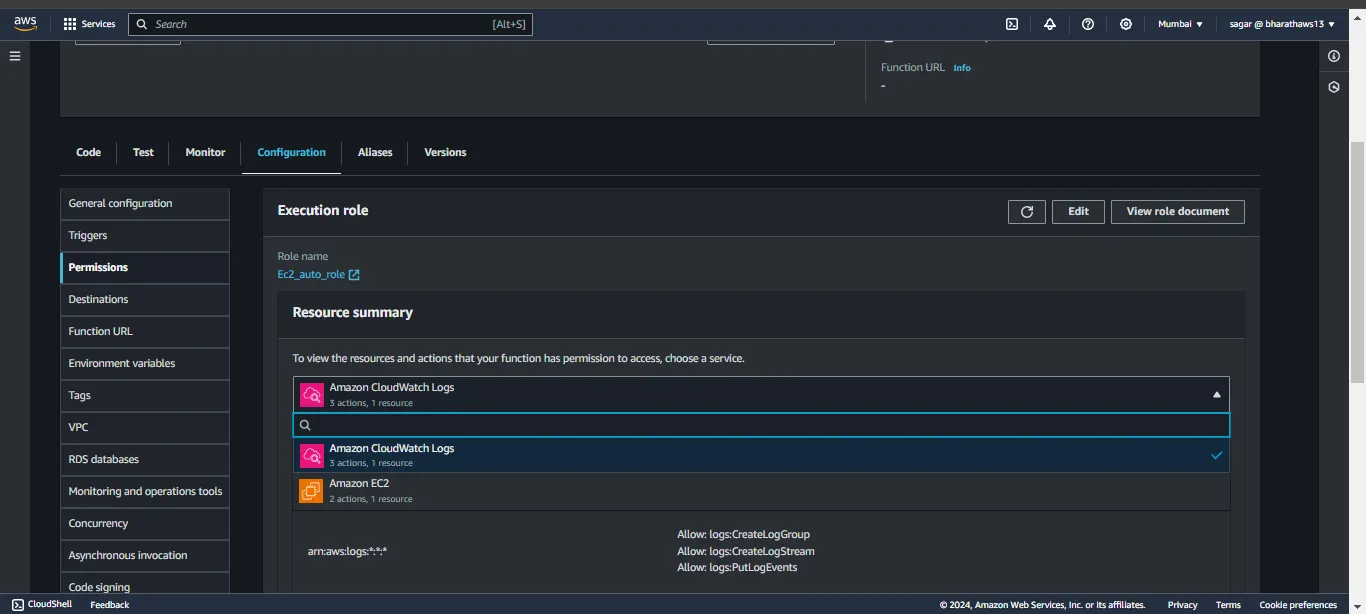
Note: In case you get any error while testing, check the permission tab to verify you see the permission of the role.
If you get error with timeout, go to general configuration, click on edit and increase the timeout a few more seconds.
Alright, so the functions are set. Now we need some kind of trigger to invoke the functions.
Event Bridge Schedule
We can create a rules or schedules to do so. We’ll create two event bridge schedule for both functions.
In to event bridge console, click on schedule and click create. Set a name to identify and in schedule patters select recurring pattern.
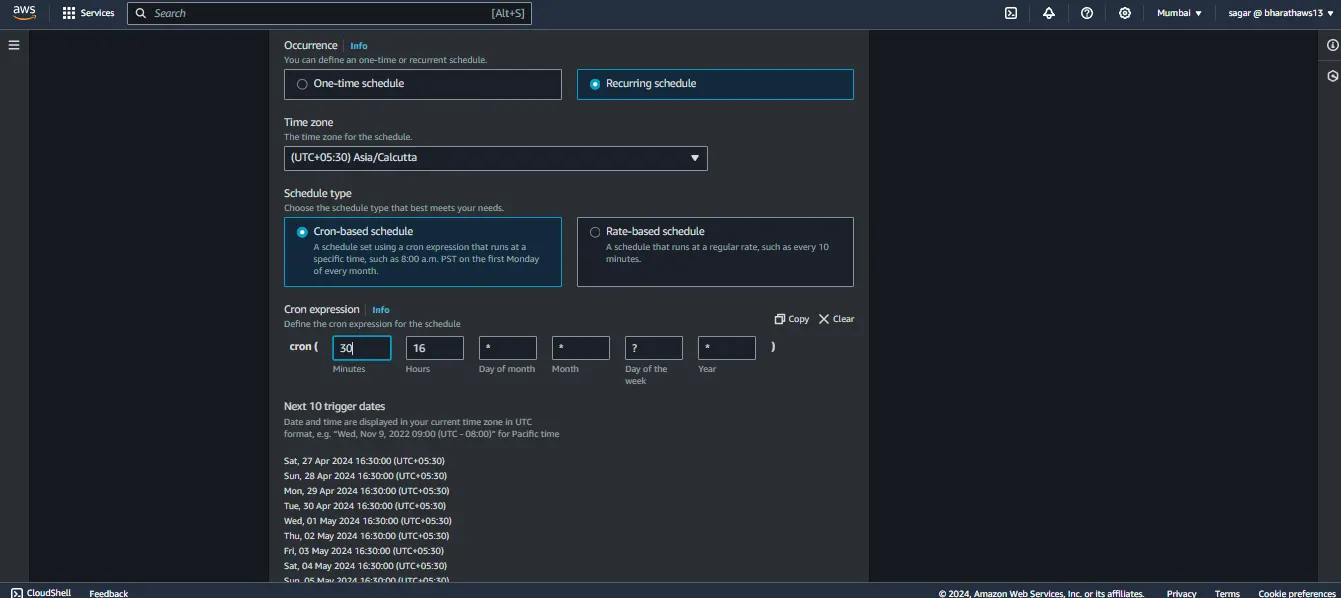
Enter the cron for your preferred time. For now I m setting it to few mins apart just not to wait.
Select Lambda as the target and select the stop function on the next screen,
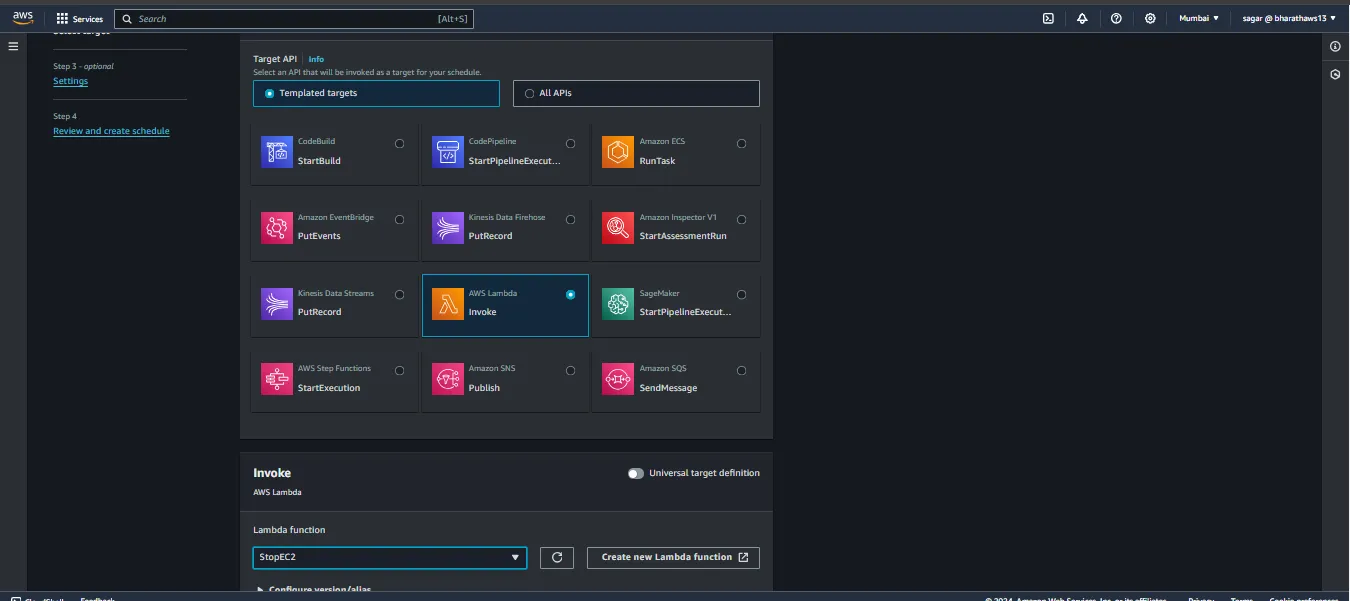
In the final tab, select click create new role and save. Check the instance status after the scheduled time.

Also verify the cloudwatch logs that the particular event was run.

Note: I was changing times multiple time for multiple the schedule to test multiple times.
Similarly create another schedule for triggering the startec2 function. Set the cron with your preferred time and choose the StartEC2 function as the target.
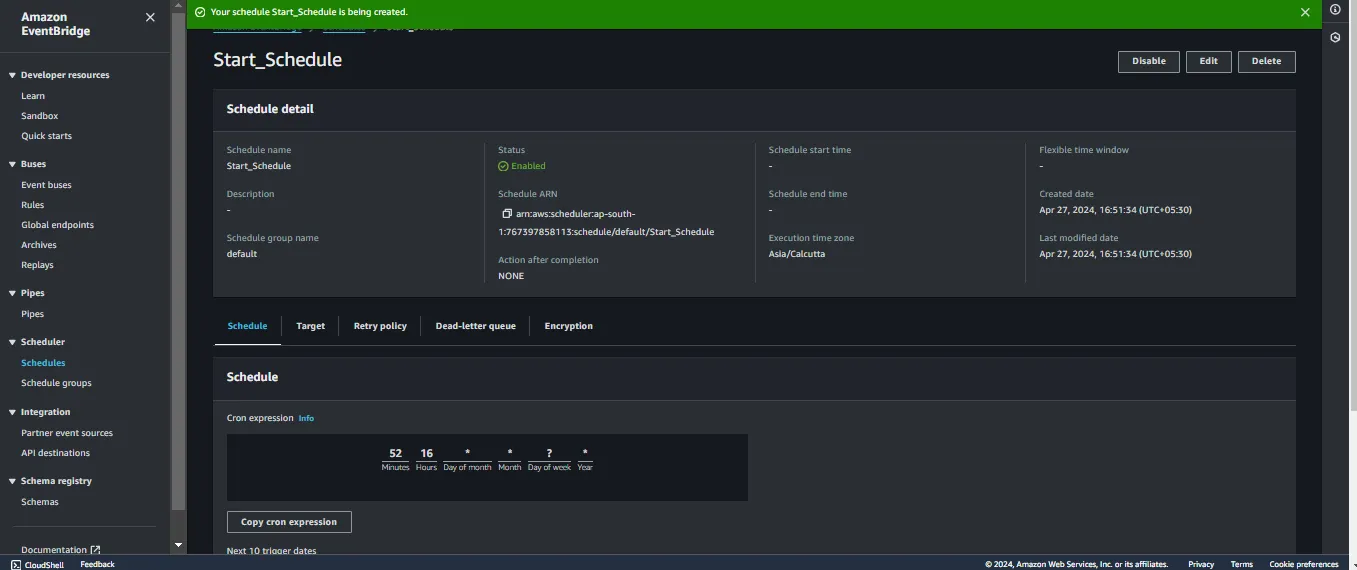
Now verify the instance state and view the logs as well.
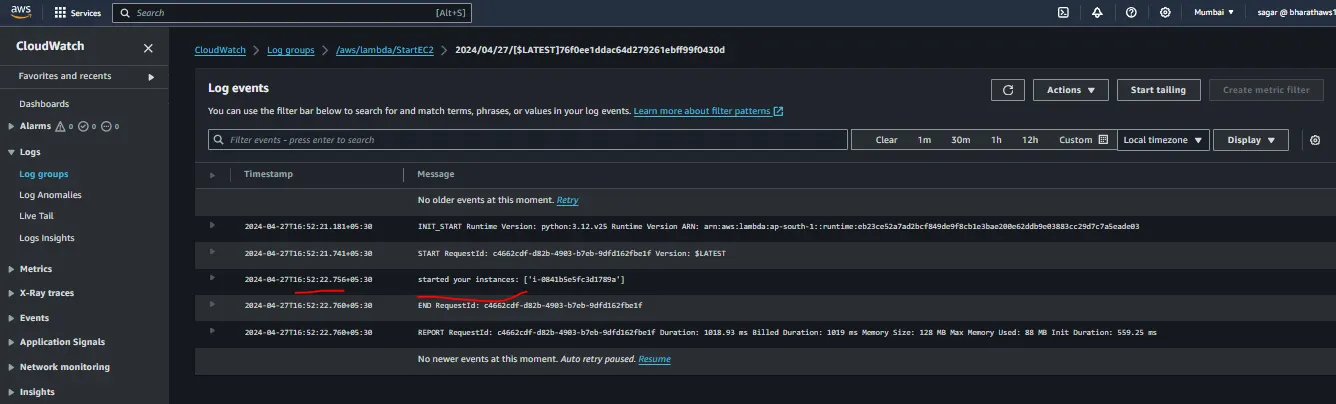
Very well. This works fine. You should now have 2 lambda functions and and 2 event bridge schedules.

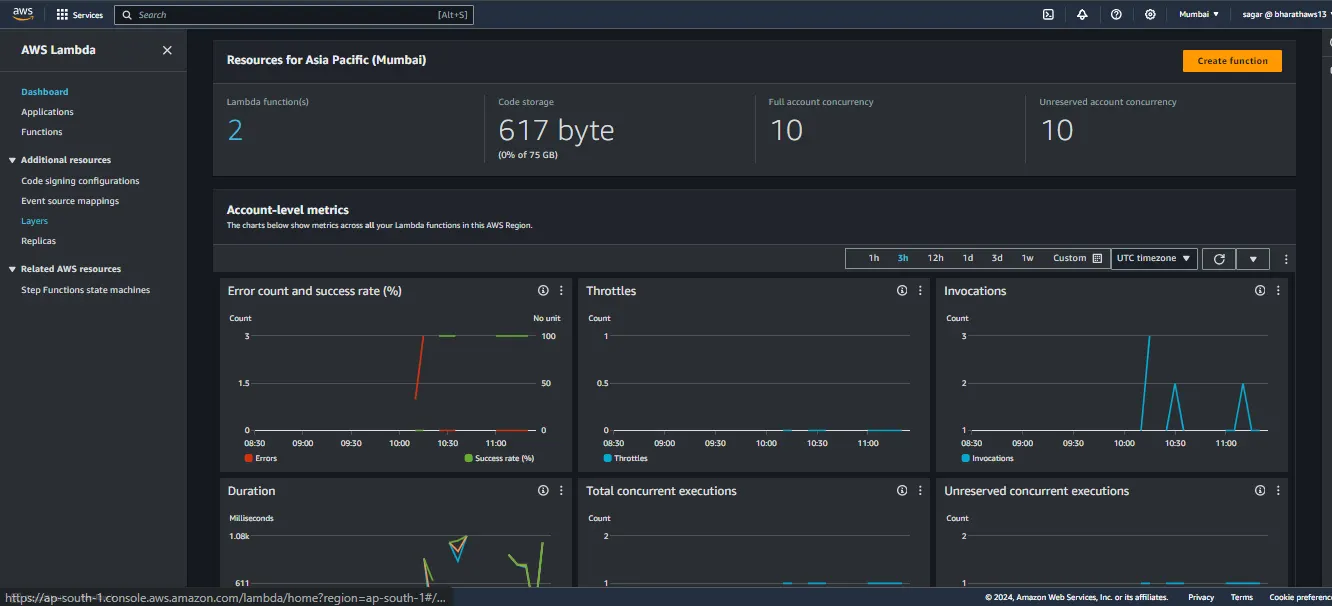
You can view the lambda metrics such as no of calls, errors etc from the lambda dashboard.
Conclusions
Lambda, a server less function runs only when called (just like functions/methods in programming language) manually or by a events through event bridge. We can do many more automation like this. Explore it for more ideas and the changes related to the use of the functions.
Reference: AWS re:Post
Read More on AWS: WAF, Secrets Manager, ALB