
What are probes
The word “probe” in a general sense means a detailed investigation or inspection to gather information or check the condition of something. It’s often used in contexts where you’re trying to assess the status or health of something.
A probe in Kubernetes is a way to check the health of a container running in a pod. It helps Kubernetes determine whether the container is functioning properly, ready to handle requests, or needs to be restarted. There are three main types of probes.
Types of Probes in Kubernetes
Kubernetes supports three types of probes each serving a different purpose.
1. Liveness Probe
- Purpose: Ensures that the container is still running and healthy.
- How it works: Kubernetes periodically checks if the container is still alive. If the probe fails, Kubernetes will restart the container to recover from potential issues.
- When to use: Use a Liveness Probe for containers that can get stuck or experience issues like deadlocks or memory leaks, requiring automatic restarts to restore their functionality.
Example Use Case: If you’re running a microservice that occasionally crashes or becomes unresponsive, a liveness probe will ensure that the container is restarted automatically to maintain availability.
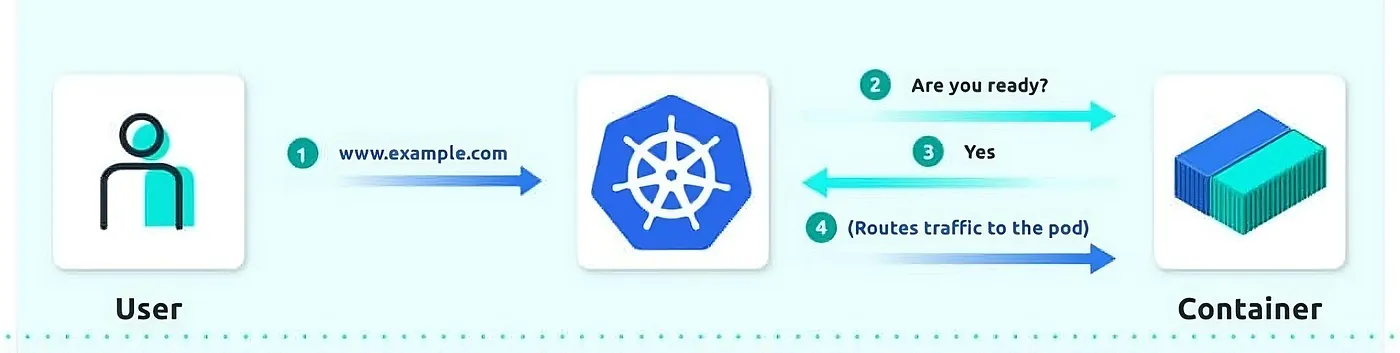
2. Readiness Probe
- Purpose: Ensures that the container is ready to accept traffic.
- How it works: Kubernetes checks if the container is in a ready state. If the readiness probe fails, Kubernetes will stop sending traffic to the container until the probe passes again.
- When to use: Use a Readiness Probe for containers that need some time to initialize, load data, or establish connections before they can handle traffic.
Example Use Case: If you’re running a web server that needs to load configuration files or connect to a database before it can serve requests, a readiness probe ensures that traffic isn’t routed to it before it’s truly ready.
3. Startup Probe
A startup probe verifies whether the application within a container is started. This can be used to adopt liveness checks on slow starting containers, avoiding them getting killed by the kubelet before they are up and running.
If this probe is configured, it disables liveness and readiness checks until it succeeds.
This type of probe is only executed at startup, unlike liveness and readiness probes, which are run periodically.
- How it works: Kubernetes checks if the container has started correctly. If it fails, Kubernetes will restart the container. This probe is useful when containers take longer to start.
- When to use: Use a Startup Probe for containers that require significant initialization time or those with complex startup processes.
Example Use Case: If you have a database service that takes several minutes to initialize and be ready for use, a startup probe ensures that Kubernetes doesn’t prematurely consider it unhealthy or attempt to restart it before it has fully started.
How to Configure Probes in Kubernetes
Configuring probes in Kubernetes requires defining the probe type in your pod’s configuration file (usually a YAML file). Each probe can be configured with different parameters that control how and when it runs:
Key Probe Parameters
We can probes the contianers in differnet ways such as
**httpGet**: make an HTTP request to check the container’s health (e.g. - http://localhost:8080/healthz)**tcpSocket**: makes a TCP connection to the container’s port to check if it’s accepting connections.**exec**: Executes a command inside the container to check its health.
livenessProbe:
      exec:
        command:
        - cat
        - /tmp/healthy
Common Settings
**initialDelaySeconds**: The amount of time to wait before performing the first probe check. This is useful for allowing the container to start up before probes are run.**periodSeconds**: How often to perform the probe check.**timeoutSeconds**: The time to wait for the probe to succeed before considering it a failure.**failureThreshold**: The number of consecutive failures before Kubernetes takes action (e.g., restarting the container).
Note: The default restart policy in k8s is “Always”. if you set to Never, the kubelet wont restart pods on failure.
Demo time
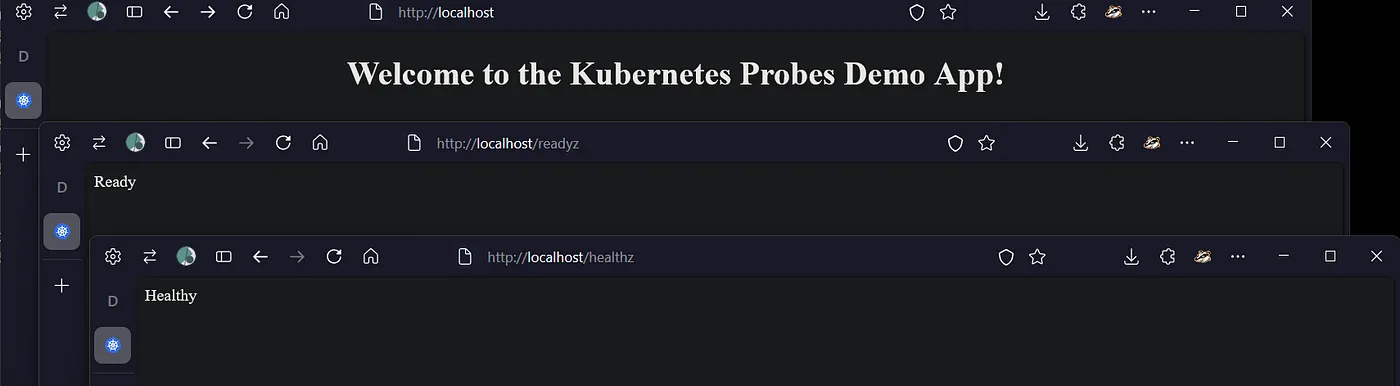
Lets see the demo. This is a python app, with 2 endpoints /health and /readyz which we’ll be calling to check the probes status. The app is running on port 8080.
Check the github repo for the full app and relevant config.
@app.route('/healthz')
def health():
    return "Healthy", 200
# Readiness check endpoint for readiness probe
@app.route('/readyz')
def ready():
    # Assume the app is "ready" only if it has been running for more than 10 seconds
    if time.time() - app_start_time > 10:
        return "Ready", 200
    else:
        return "Not ready", 503
And the manifest has been configured with the probes to check the status. Check the github repo for the full config.
        # Liveness Probe: Checks /healthz every 5 seconds
        # after an initial delay of 5 seconds
        livenessProbe:
          httpGet:
            path: /healthz
            port: 8080
          initialDelaySeconds: 5
          periodSeconds: 5
          failureThreshold: 5
        # Readiness Probe: Checks /readyz every 5 seconds
        # after an initial delay of 10 seconds
        readinessProbe:
          httpGet:
            path: /readyz
            port: 8080
          initialDelaySeconds: 10
          periodSeconds: 5
          failureThreshold: 5
        # Startup Probe: Waits for /healthz to become available within 10 checks (50 seconds total)
        startupProbe:
          httpGet:
            path: /healthz
            port: 8080
          initialDelaySeconds: 10
          periodSeconds: 5
          failureThreshold: 10
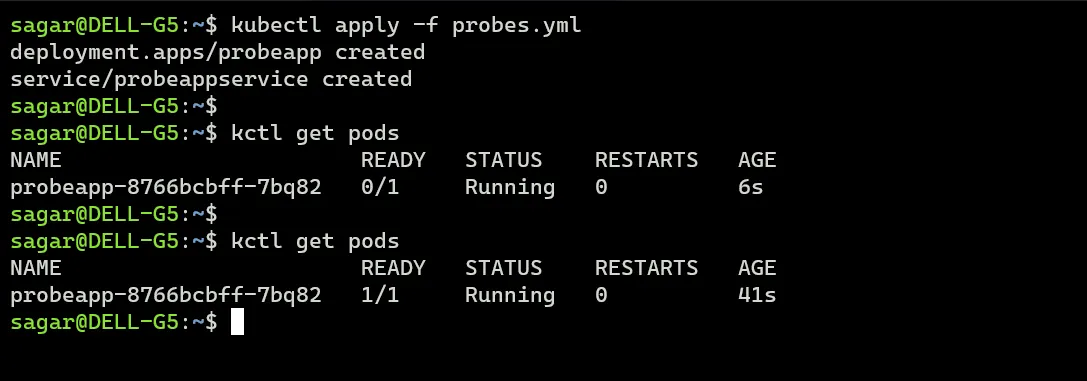
Apply and lets monitor.
Alright, so it runs fine and there are no restarts for now.
Will change the liveness check endpoint and have disabled the other probes.
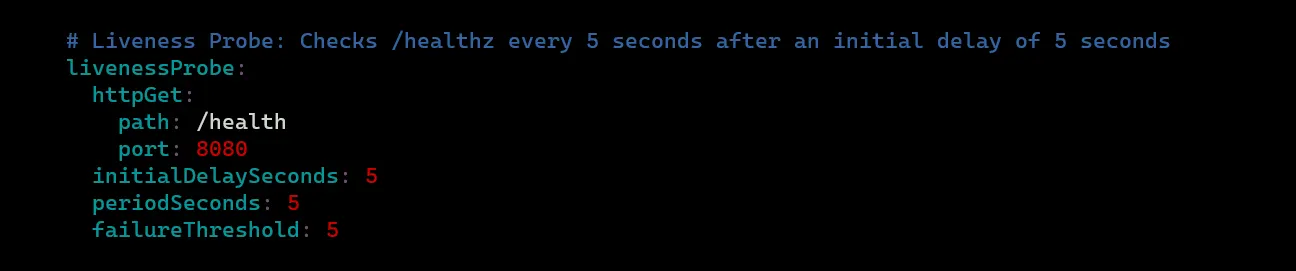
And now the liveness probe should fail. Describe the pod to see the details.
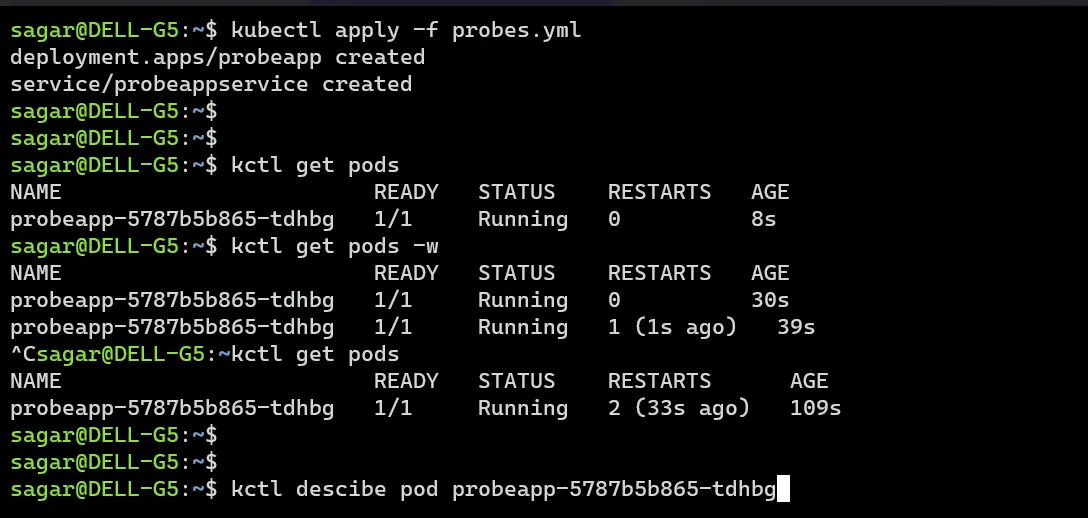
As expected the liveness probe has failed as it tried to call /health but that that does not exist. The pod is getting restarted multiple times and it enters crashloopbackoff.
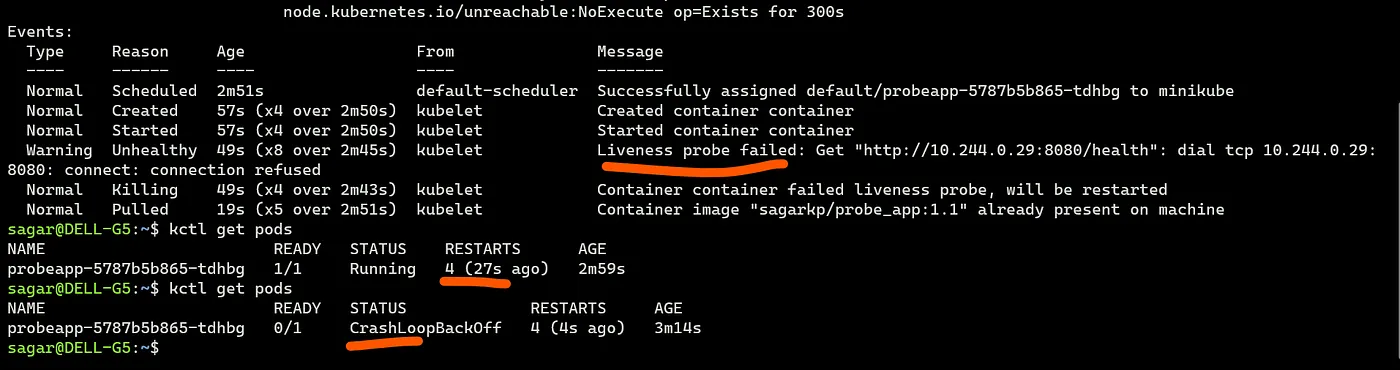
To test readiness probe.
First keep the correct end point (/readyz) and everything should work fine.
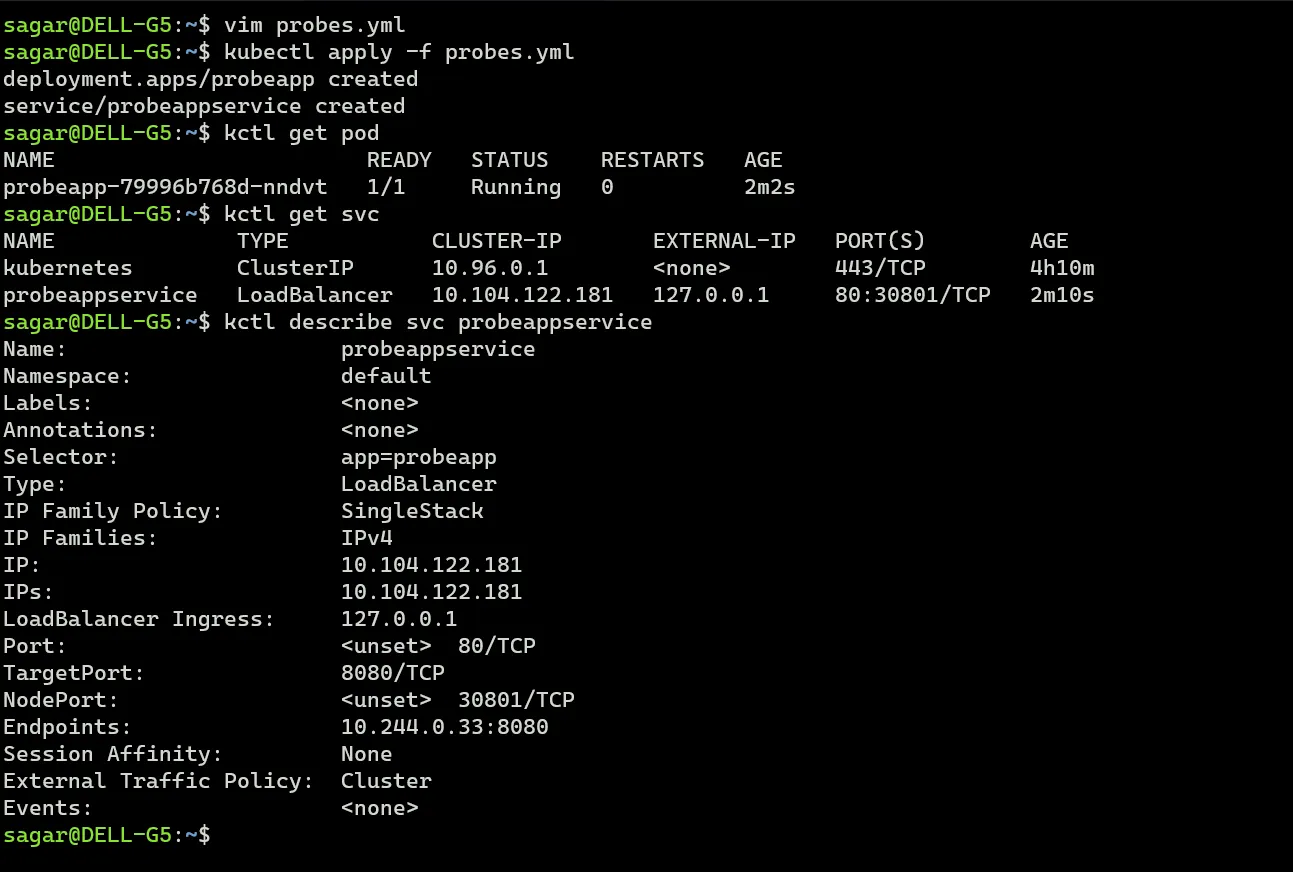
Update the path to a wrong value.

Now the containers status says running but the number is 0/1. Describe the pod and we see readiness probe has failed. Unlike liveness probe, kubelet won’t restart the pod but it will be removed from the service
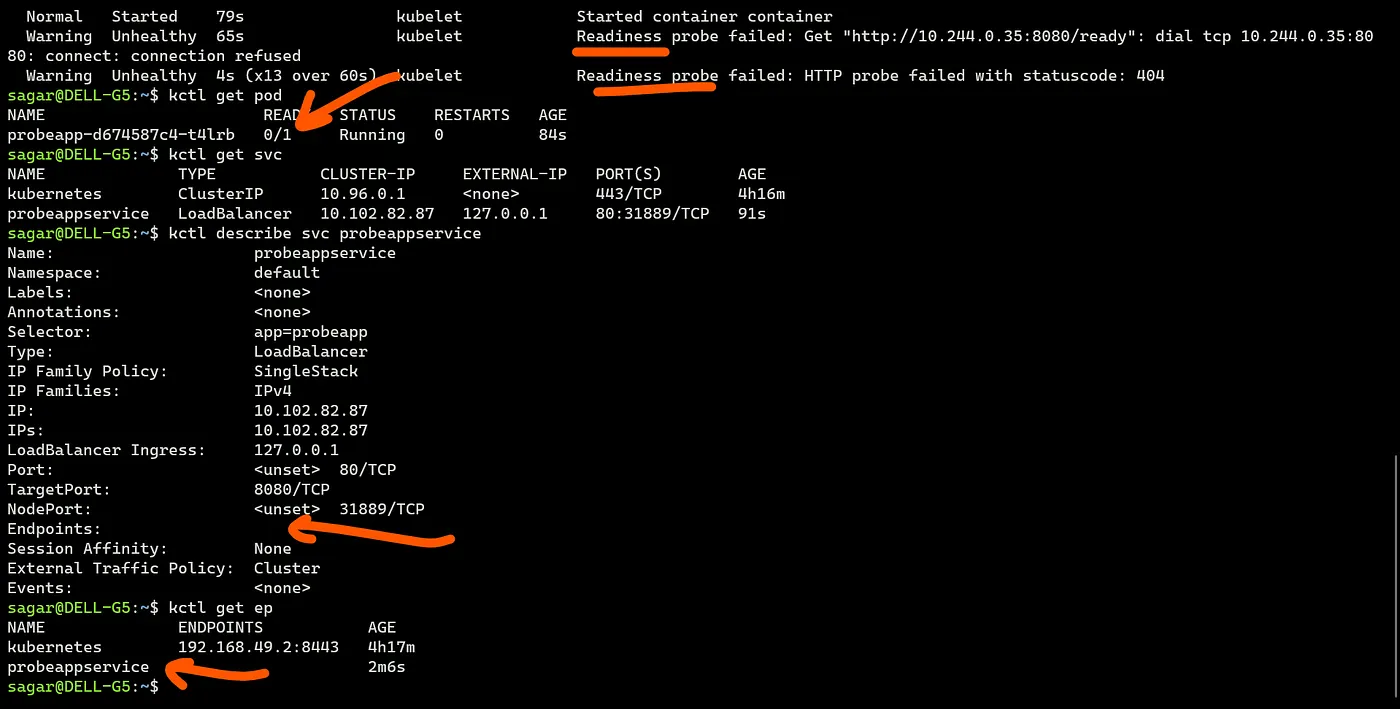
And that’s why we don’t have any endpoint (k8s ep). Traffic wont be served until the probe is fine.
The same way startup probe, update the probe call path to a wrong value and the pod status will be 0/1.

Describe and we see the status. here also we don’t get ep for the service. Here I m using the same path as liveness, you can use your own if you have defined anything else.
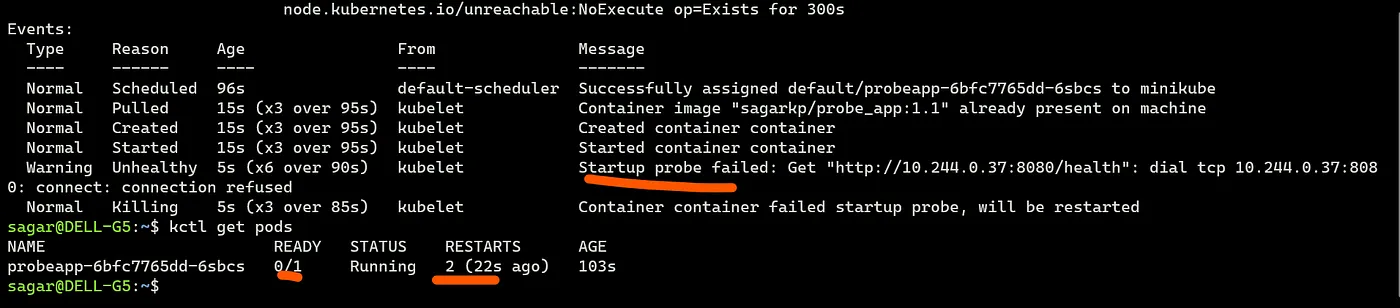
When used in combination with liveness and readiness probe, these two probes will not be used unless startup probe has passed.
Conclusion
Kubernetes probes are crucial for maintaining healthy and reliable applications. By using Liveness, Readiness, and Startup probes, we can ensure that our app containers are running properly, ready to handle traffic, and given enough time to start up.
Read More on K8s:
References: K8s Docs, Pod Restart policy
