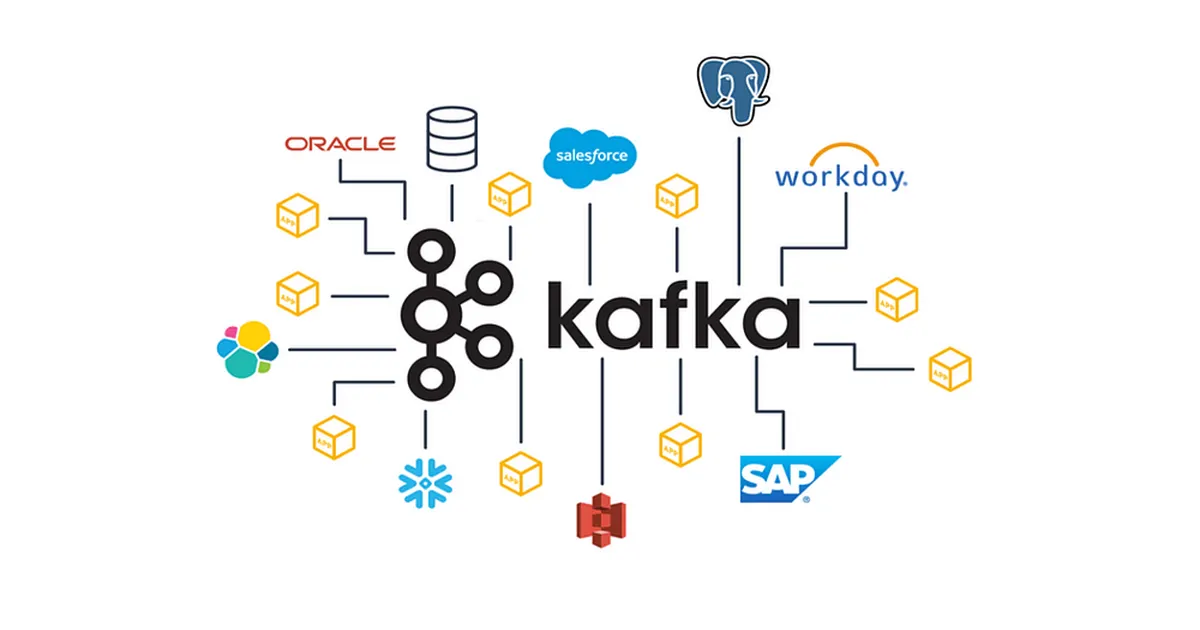
💡 What it is:
At its core, Kafka is like a high-speed, super-durable logbook for a company.
- What: Kafka is a distributed event streaming platform. Think of it as a central nervous system for data. It takes in massive amounts of data (events) from many sources in real-time and makes that data available to many destinations
- Why: Its main superpowers are speed and reliability. It’s built to handle a massive volume of messages (like millions per second) very quickly. It’s also “fault-tolerant,” meaning if one part of the system fails, no data is lost, and the system keeps running.
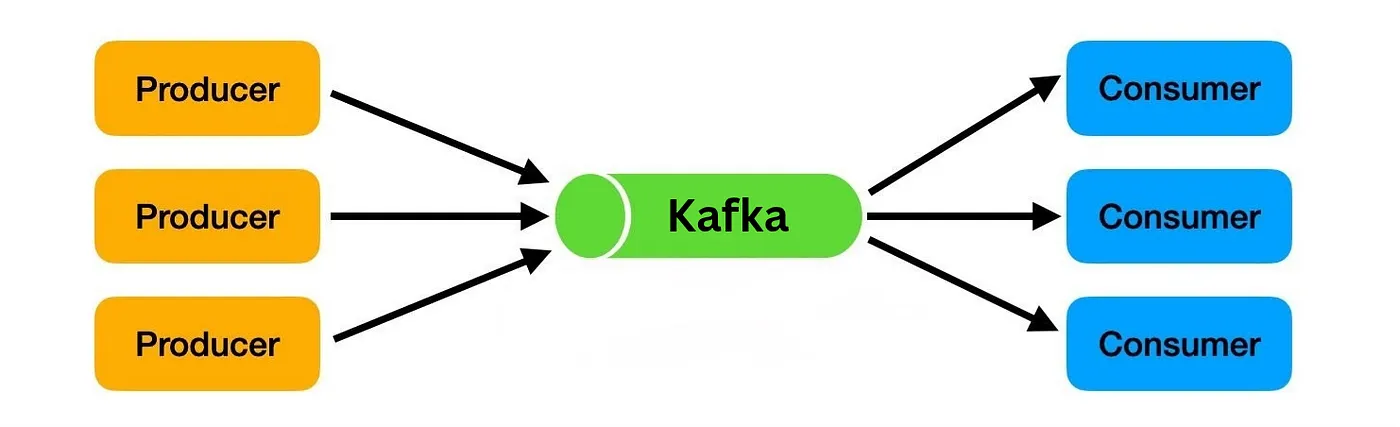
- How it works: It uses a “publish-subscribe” model.
- Producers (like a microservice for Order in a e-com app) write events into Kafka.
- Kafka stores these events in an ordered log (like a notebook) for as long as you want (e.g., one day, one year, or forever).
- Consumers (like a database, an analytics dashboard, or another app) read the events from the log at their own pace. A single event can be read by many different consumers.
🔑 Key Components & Terms
- Event: A single piece of data. This could be anything: an order, a website click, a financial transaction, a temperature reading, etc.
- Producer: An application that writes (publishes) events to Kafka.
- Consumer: An application that reads (subscribes to) events from Kafka.
- Broker: A single Kafka server. Brokers are the heart of the system; they receive, store, and serve the data. A Kafka system is usually a Cluster (group) of multiple brokers working together for reliability and scale.
- Topic: The category or “notebook” where events are stored. For example, you might have a
orderstopic, apaymentstopic, and aninventory_updatestopic. - Partition: A topic is split into several logs called partitions. This is how Kafka achieves its high speed—it can read and write to multiple partitions at the same time (in parallel).
- Consumer Group: A group of consumers working together to read from a topic. Kafka automatically balances the partitions among the consumers in a group so that each event is processed by only one consumer in that group.
🆚 Kafka vs. Other Messaging Systems
The main difference is between Queues (like RabbitMQ/SQS), which delete messages after a single worker processes them, and Streams (like Kafka/Kinesis), which keep a persistent log of events for many consumers to read. Pulsar is a hybrid that can do both.
Pulsar is kind of interesting topic to explore further.
Zookeeper and KRaft:
- Kafka historically required Apache ZooKeeper, an external distributed coordination service. ZooKeeper was responsible for all cluster metadata management, including electing the “controller” broker, tracking broker membership, and storing all configurations for topics etc
- Kafka now (v 3.3 and above) operates using KRaft (Kafka Raft). This is a built-in consensus protocol where Kafka manages its own cluster metadata in an internal log.
🚀Setup:
We are going to setup Kafka using docker, and will have 2 python apps interacting with it.
To simply learning we are going to take e commerce app for example. One called Producer (Order microservice) another is Tracker to receive the order data (consumer).
In the docker-compose.yaml, we define image, the port and other configuration Kafka needs.
services:
  kafka:
    image: confluentinc/cp-kafka:latest
    container_name: kafka
    ports:
      - "9092:9092"
    environment:
      # Enable KRaft mode
      KAFKA_KRAFT_MODE: 'true'
      # Unique ID for the cluster
      CLUSTER_ID: 'fMCL8kv1SWm87L_Md-I2hg'
      # Unique ID for this node
      KAFKA_NODE_ID: 1
      # Run as both broker and controller
      KAFKA_PROCESS_ROLES: broker,controller
      # List of voters (just this node)
      KAFKA_CONTROLLER_QUORUM_VOTERS: 1@kafka:9093
      # Replication for internal topics (the default is 3)
      KAFKA_OFFSETS_TOPIC_REPLICATION_FACTOR: 1
      # Internal listeners
      KAFKA_LISTENERS: PLAINTEXT://0.0.0.0:9092,CONTROLLER://0.0.0.0:9093
      # External address for clients
      KAFKA_ADVERTISED_LISTENERS: PLAINTEXT://localhost:9092
      # Name of the controller listener
      KAFKA_CONTROLLER_LISTENER_NAMES: CONTROLLER
      # Log directory inside the container.
      KAFKA_LOG_DIRS: /var/lib/kafka/data
    volumes:
      - kafka_kraft:/var/lib/kafka/data
volumes:
  kafka_kraft:
Run it with cmd “docker compose up -d” and we shall have kafka up and running. Check the status with “docker ps” or “docker ps -a”.

Now lets setup our python apps. First install the python kafka library using which python apps will be able to connect to kafka. Use pip (windows) or pip3 for installation.
pip3 install confluent-kafka
📤 The Producer (producer.py):
Our first app is the Producer (representing our Order microservice). Its only job is to generate order data and securely send it into our Kafka cluster. Here is how the producer works:
— It imports the Producer and connects to your Kafka broker at localhost:9092.
— Creates two sample Python dictionaries, order1 and order2, giving each a unique ID using uuid.
— Kafka only sends bytes, not Python objects. So, the script does two conversions:
json.dumps(order1): Converts the dictionary into a JSON string.
.encode("utf-8"): Converts that string into bytes.
— The producer.produce() command sends the byte-formatted message to the orders topic. (As the topic “orders” does not exist, its created automatically at the initial run)
--> callback=delivery_report: This is the most important part. Sending a message is “asynchronous” (it sends and forgets). This line tells the producer, “When you get confirmation from Kafka, please call the delivery_report function.”
— The delivery_report function then prints the ✅ success or ❌ failure message for that specific message, along with its location (partition and offset).
--> producer.flush():this tells our script to Stop and wait until that local buffer is empty and Kafka has confirmed it received everything.”
#producer.py
import json
import uuid
from confluent_kafka import Producer
producer_config = {
    "bootstrap.servers": "localhost:9092"
}
producer = Producer(producer_config)
def delivery_report(err, msg):
    if err:
        print(f"❌ Delivery failed: {err}")
    else:
        print(f"✅ Delivered {msg.value().decode('utf-8')}")
        print(f"✅ Delivered to {msg.topic()} : partition {msg.partition()} : at offset {msg.offset()}")
order1 = {
    "order_id": str(uuid.uuid4()),
    "user": "John Doe",
    "item": "Shoes",
    "quantity": 2
}
order2  = {
    "order_id": str(uuid.uuid4()),
    "user": "Jane Doe",
    "item": "Phone",
    "quantity": 1
}
value1 = json.dumps(order1).encode("utf-8")
value2 = json.dumps(order2).encode("utf-8")
producer.produce(
    topic="orders",
    value=value1,
    callback=delivery_report
)
producer.produce(
    topic="orders",
    value=value2,
    callback=delivery_report
)
producer.flush()
🎧 The Consumer (consumer.py):
Now that our orders are sitting safely in Kafka, we need an application to read them. This is our consumer app.
Unlike the producer, which runs once and exits, our consumer needs to run continuously, always listening for new orders.
Here is how the consumer works:
- Connection & Grouping: It connects to
localhost:9092and joins agroup.idcalled “order-tracker”. Kafka uses this group ID to remember which messages this specific consumer has already read. **auto.offset.reset: "earliest"**: This tells Kafka, “If I am a brand new consumer and don’t have any saved bookmarks, start reading from the very first message in the topic.”**consumer.subscribe(["orders"])**: This tells the consumer which topic(s) to listen to.**while True**: It runs an infinite loop.consumer.poll(1.0)asks Kafka for new messages, waiting up to 1 second. If nothing is there, it loops and asks again.- When a message arrives, it’s in raw bytes.
msg.value().decode("utf-8")turns it back into a string, andjson.loads()converts it back into a usable Python dictionary. - The
try...except...finallyblock ensures that if you stop the script with Ctrl+C, it callsconsumer.close().This gracefully closes kafka consumer app without the python error of KeyboardInerrupt
# consumer.py
import json
from confluent_kafka import Consumer
consumer_config = {
    "bootstrap.servers": "localhost:9092",
    "group.id": "order-tracker",
    "auto.offset.reset": "earliest"
}
consumer = Consumer(consumer_config)
consumer.subscribe(["orders"])
print("🟢 Consumer is running and subscribed to orders topic")
try:
    while True:
        msg = consumer.poll(1.0)
        if msg is None:
            continue
        if msg.error():
            print("❌ Error:", msg.error())
            continue
        value = msg.value().decode("utf-8")
        order = json.loads(value)
        print(f"📦 Received order: {order['quantity']} x {order['item']} from {order['user']}")
except KeyboardInterrupt:
    print("\n🔴 Stopping consumer")
finally:
    consumer.close()
🎬 Seeing it in Action
- Open a terminal and start your consumer app. This will keep running and wait for messages.
- Open a second terminal and run your producer app.
python3 consumer.py
python3 producer.py
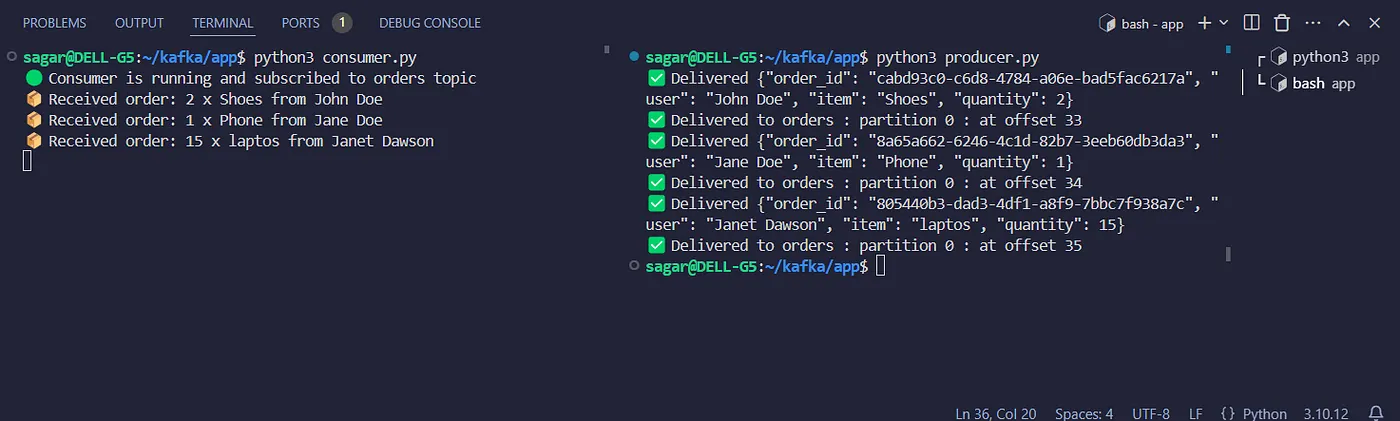
Now edit an order data or create another order and run the producer again. The new order will appear next in line in consumer.
⌨️️Kafka CLI:
You can also directly interact with kafka using its cli.
> docker exec -it kafka kafka-topics --bootstrap-server localhost:9092 --list
__consumer_offsets # this is an internal kafka topic
orders
To view all the messages.
> docker exec -it kafka kafka-console-consumer --bootstrap-server localhost:9092 --topic orders --from-beginning
🎉 Wrapping Up
And that’s it! We’ve successfully built a basic Kafka setup where a Python producer and consumer talk to each other in real-time. To take our Kafka skills to the next level, best next steps are exploring Consumer Groups to see how reading scales, or learning how Partitions work to handle more data!
Source: TechWorld With Nana