


What are exit codes in linux
In Linux and Unix-like systems, an exit code is a numeric value returned by a command or a script after completion. It indicates the success or failure of the command or script execution.
Here are a few:
0: Success. The command or script executed successfully without any errors.1: General error. The command or script encountered an error.2: Misuse of shell built-ins (according to Bash documentation).127: Command not found. This happens when the command you are trying to execute is not found in the system’s PATH.
Any non zero exit code can be considered as failure of some sort.
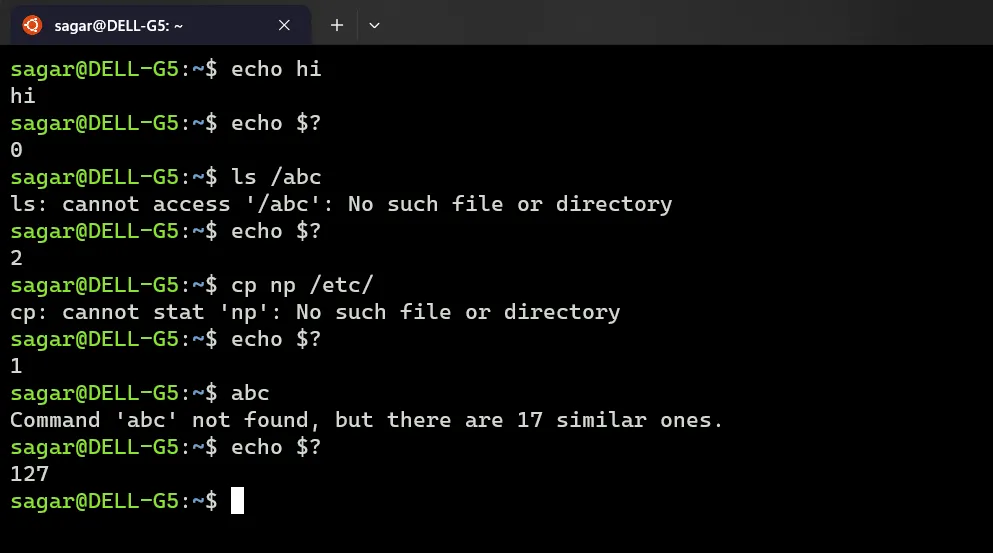
Lets use in script.
#!/bin/bash
app=curl
sudo apt install $app
echo "The installation status for $app is: $?"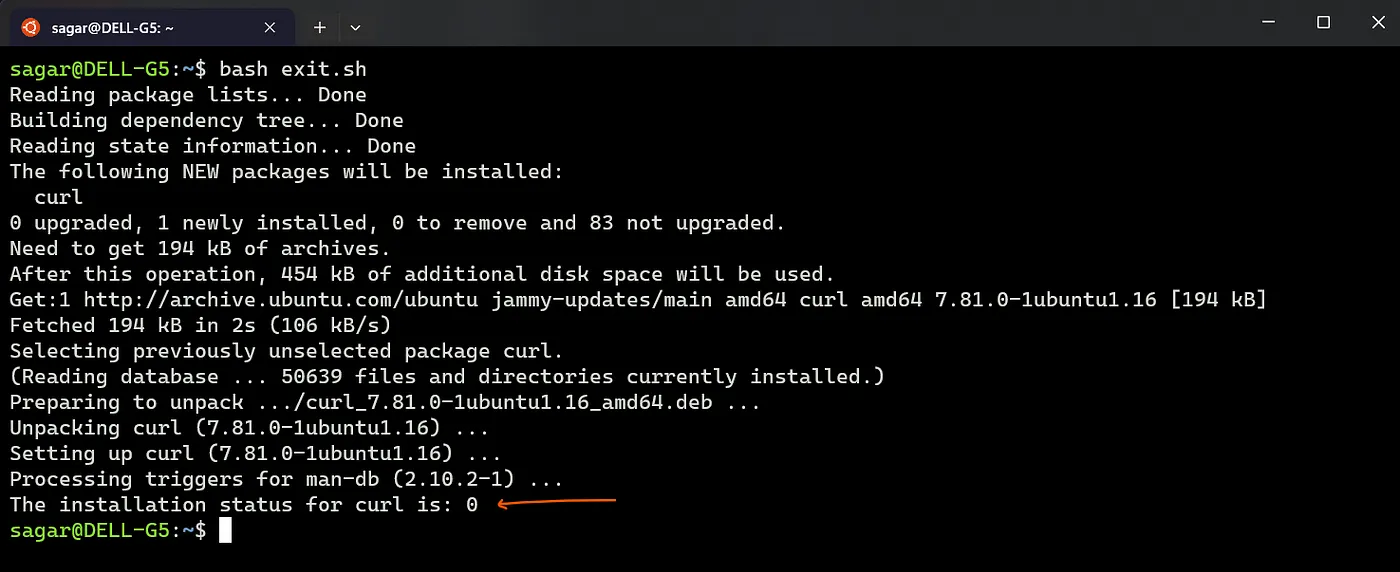
Change the app from curl to some random text which should not be any valid app/utility.
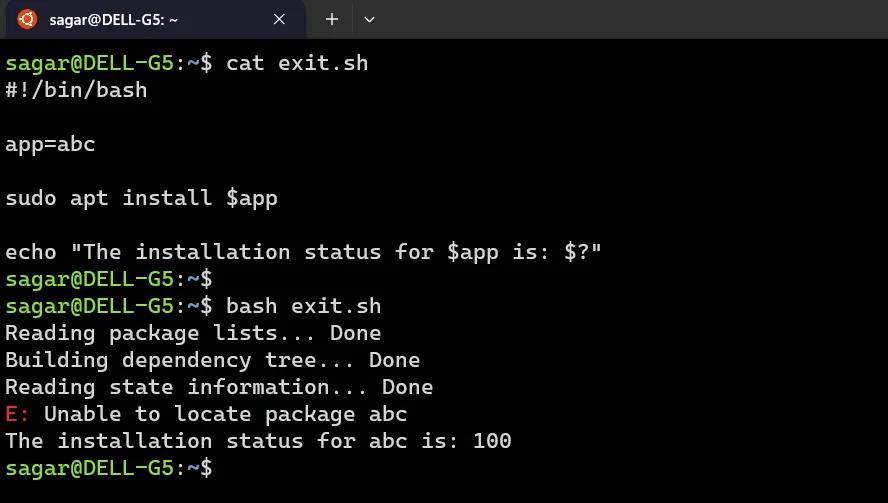
Using exit codes to perform tasks
We can use exit codes with conditional statements and perform certain tasks based on the results. For example to run a diff command if one fails.
#!/bin/bash
app=curly
sudo apt install $app
#echo "The installation status for $app is: $?"
if [ $? -eq 0 ]
then
        echo "$app was installed"
        which $app
else
        echo "$app failed to install, check your script"
fi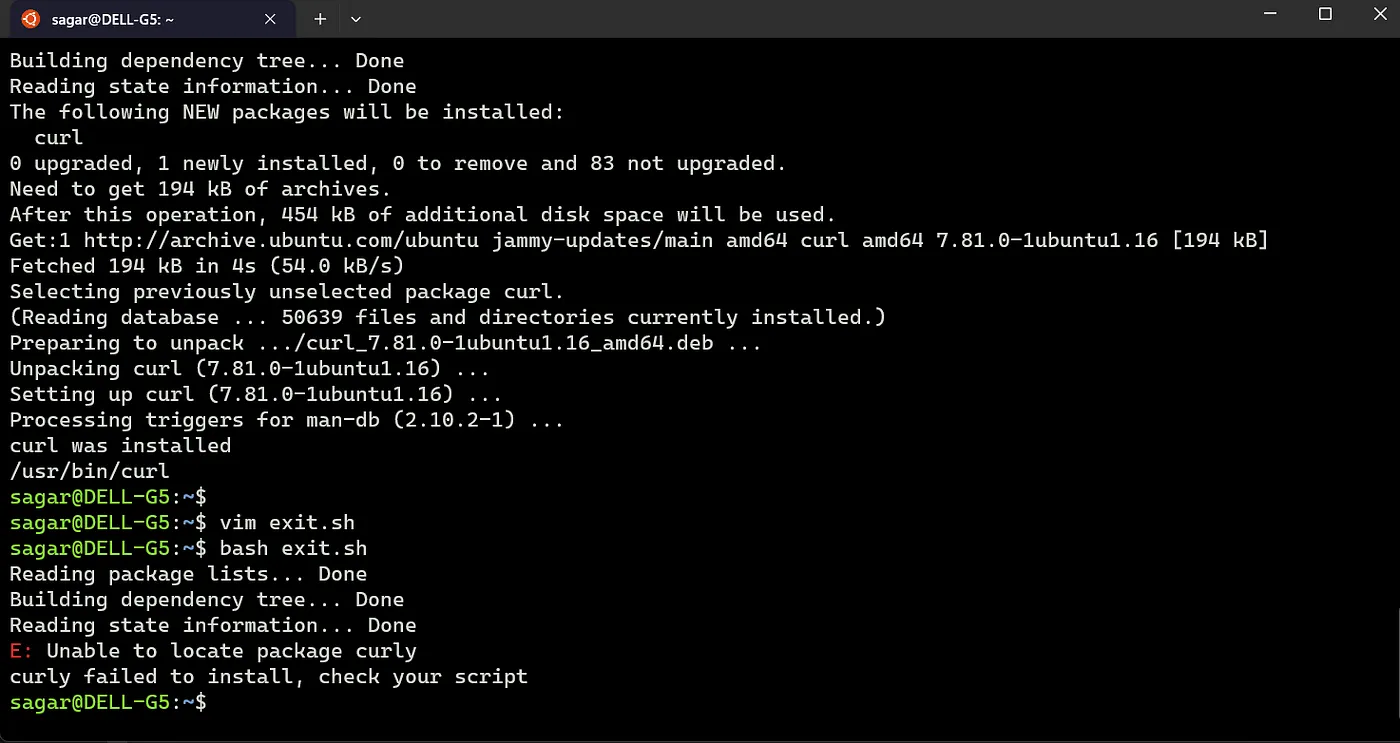
When you check for exit status, the check should be placed at the proper location.
For example, in the above script, if you uncomment the echo statement, the result will be diff.
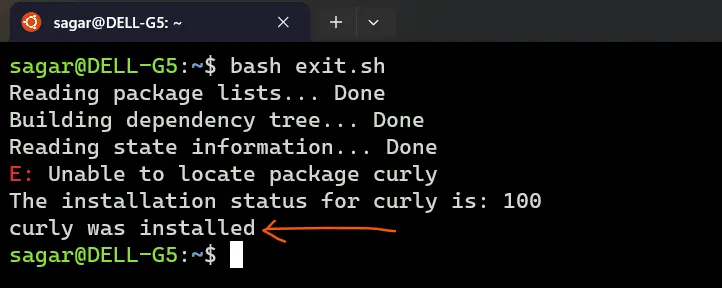
This script prints “curly was installed” even with the general apt error saying the package was not found.
Why you may ask? It’s because of the previous echo statement. The execution of the echo was successful and the status changed to 0. Now since we are validating the status after the echo, the condition matches.
Forcing exit status
We can force the script resulting specific exit codes by using the keyword “exit”
#!/bin/bash
echo "Hello World"
echo "The normal exit code for the above statement is: $?, check with 'echo \$?'"
exit 155
echo "Hi"This script will print the first two echo statements and the exit code will be whatever you have set.
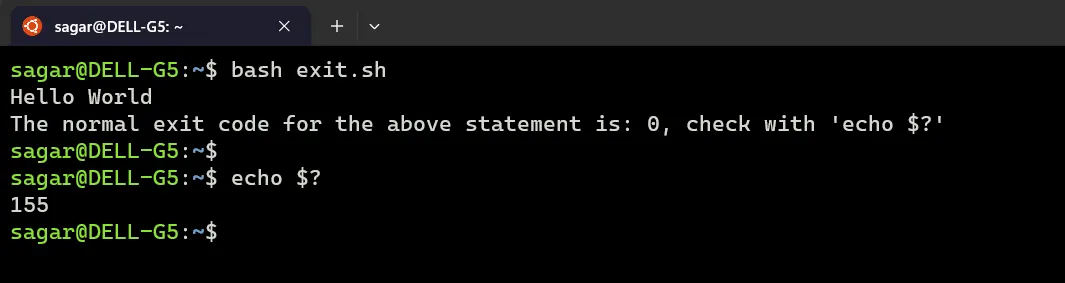
Exit statements will exit the script execution no matter what you have set.
Similarly if you have set the exit code 0, even for a command failure the status will be 0.
#!/bin/bash
xyz
echo "The normal exit code for the above statement is: $?, check with 'echo \$?'"
exit 0
echo "Hi"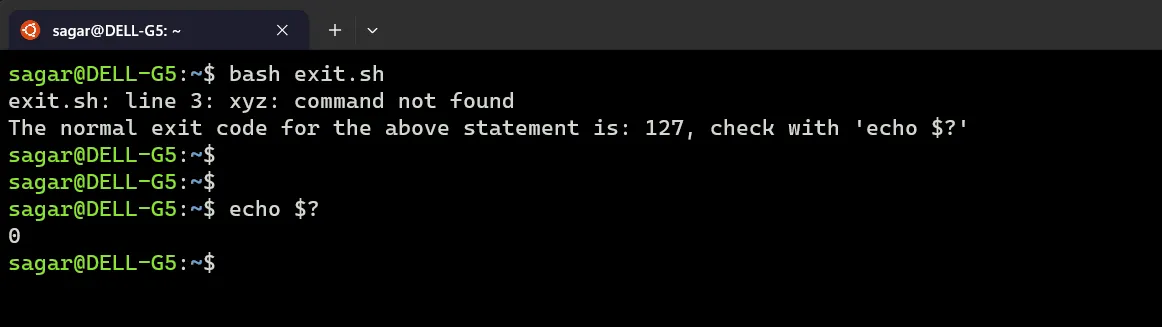
Exit inside of an if block also exits the whole script not just the block.
#!/bin/bash
a=5 # try 7
if [ $a -eq 5 ]
then
   echo "condition is true"
   exit 0
else
    echo "condition is false"
    exit 1
    echo "end else"
fi
echo "the end"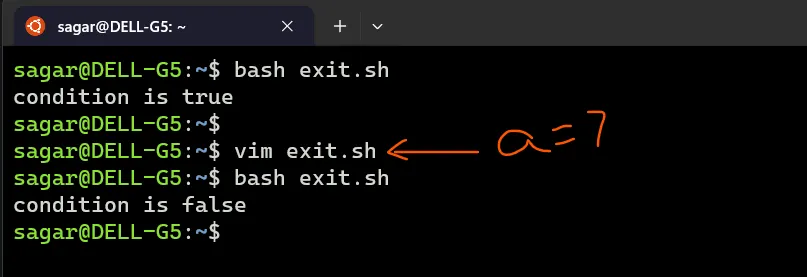
Note: The exit statement even without any code will also terminate the script.
That’s all about it.
References: LearnLinuxTV