Nginx Ingress for Kubernetes Networking.
Introduction:
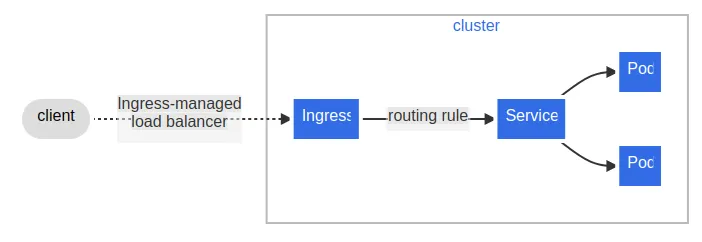
In Kubernetes, “Ingress” is an API object that manages external access to services within a cluster.
It acts as a layer above the services, providing routing rules and load balancing for HTTP and HTTPS traffic. Essentially, it allows you to define how external traffic should be directed to services based on rules you set up, such as hostnames, paths, or other HTTP headers.

Ingress typically works in conjunction with Ingress Controllers, which are responsible for actually implementing the routing rules.
There are multiple vendors implementing ingress api and nginx is one such.
Getting started:
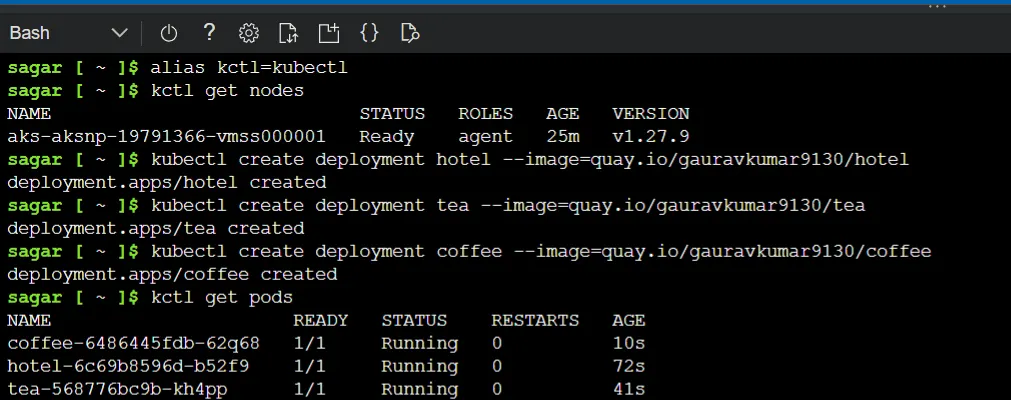
First create deployments of your app.
kctl create deployment appname --image=<name>
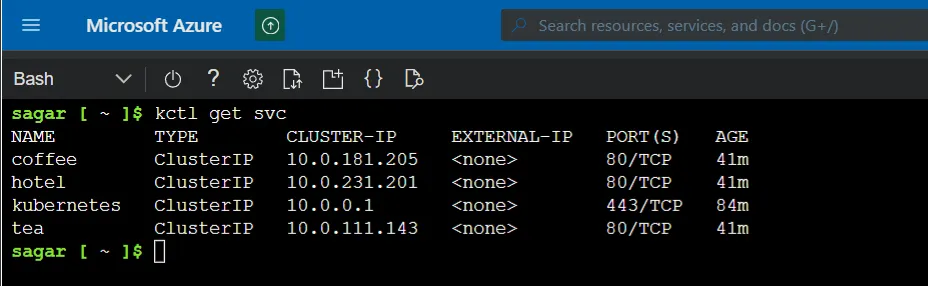
Expose the deployments with just cluster ip, as we are going to manage external traffic with ingress

Note that these are only cluster IPs and can’t be accessed outside of the cluster.
Install Nginx ingress controller:
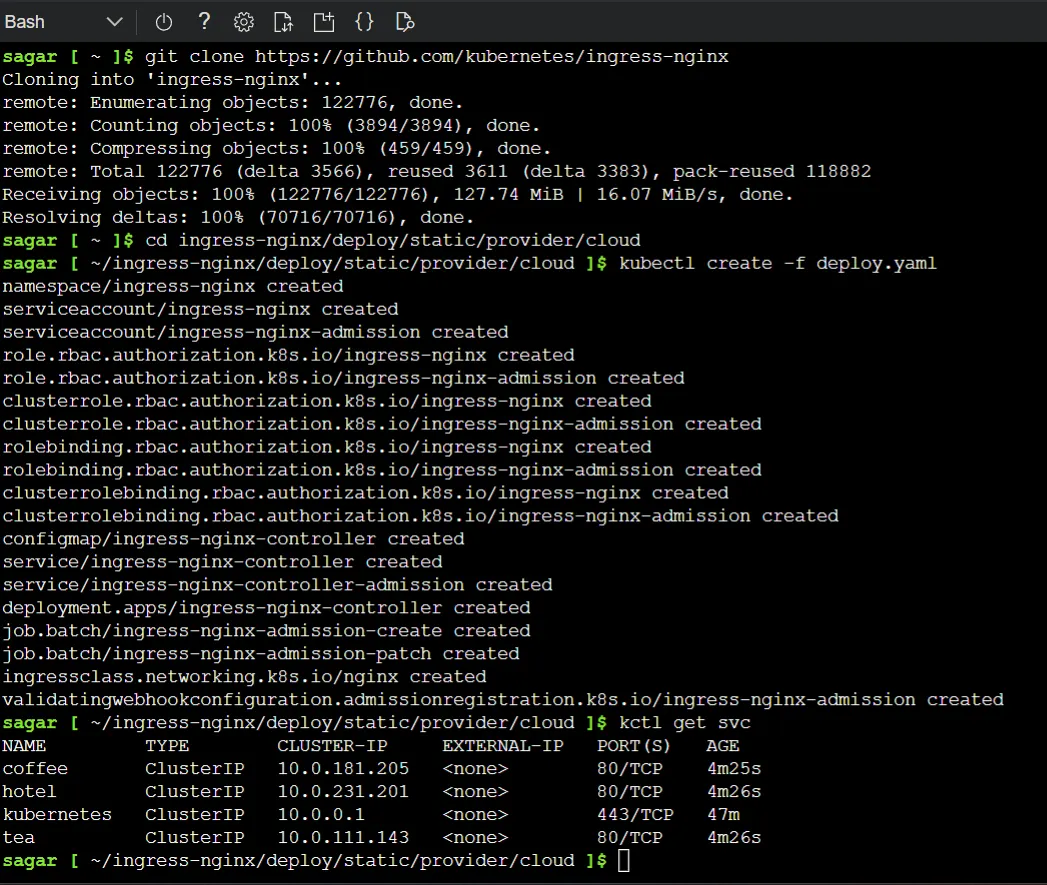
To create a Nginx controller, clone the official repo and apply the manifest.
GitHub - kubernetes/ingress-nginx
The location of the manifest deploy/static/provider/cloud.
This creates a namespace called “Ingress- nginx”
kctl apply -f deploy.yml
Get nginx ip and browse.
kctl get svc -n ingress-nginx
As of now it’s just the nginx, no application is served here so we’ll see a 404 response.
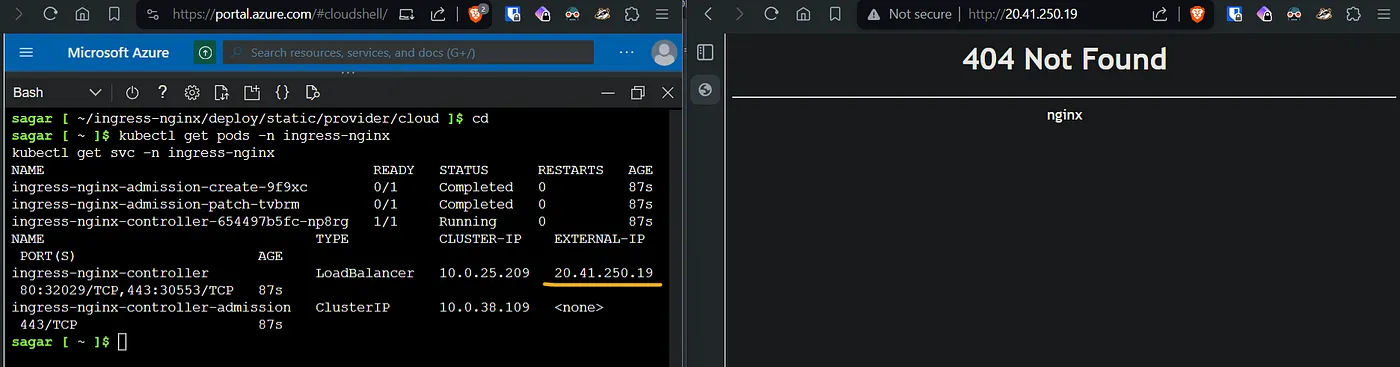
Now create an ingress resource which points the controller to the services.
apiVersion: networking.k8s.io/v1
kind: Ingress
metadata:
 name: myapp-ingress
 annotations:
  kubernetes.io/ingress.class: nginx
spec:
 ingressClassName: nginx
 rules:
 - http:
    paths:
    - path: /
      pathType: Prefix
      backend:
       service:
         name: hotel
         port:
          number: 80
    - path: /tea
      pathType: Prefix
      backend:
       service:
         name: tea
         port:
          number: 80
    - path: /coffee
      pathType: Prefix
      backend:
       service:
         name: coffee
         port:
          number: 80
Here we define the ingress class name as nginx.
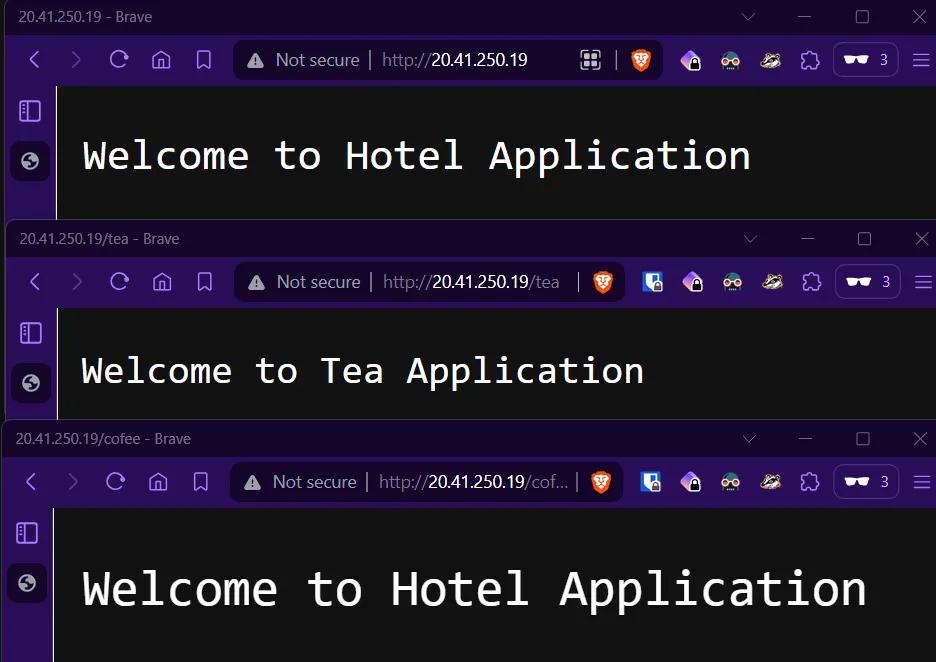
Apply and browse the ip of the ingress controller.
sagar [ ~ ]$ kctl apply -f ingress.yml
ingress.networking.k8s.io/myapp-ingress created
sagar [ ~ ]$
And we can see our app being served.
Prefix vs Exact path types:
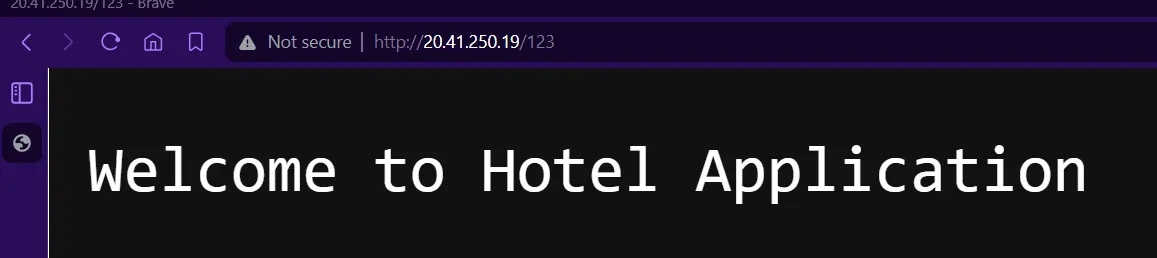
A prefix path type will always route to the destination even if the url doesn’t exist. For example ip/tea and ip/teaxyz will still make tea app to load.
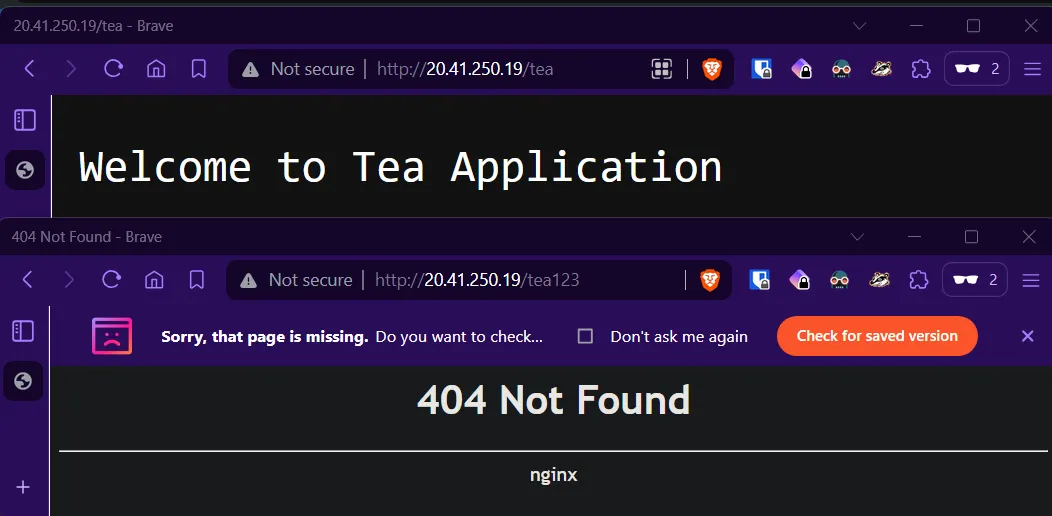
Exact path type loads only when the path matches the url otherwise return a 404 page.
    - path: /tea
      pathType: Exact
      backend:
       service:
         name: tea
         port:
          number: 80
With prefix:
with exact:
Up Next:
Here we used IP based routing. In the next article we’ll experiment with host name based routing. We’ll also use TLS certificate on the domain name with ingress.
Read More on K8s: